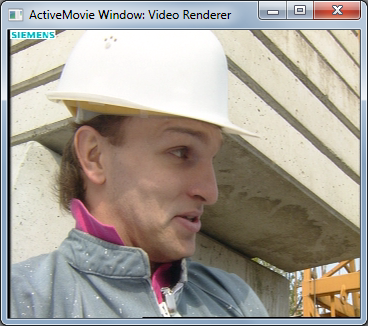
 This post introduces a YUV source filter that can be used to load standard YUV test sequences into the DirectShow environment. Certain YUV test sequences (such as the Foreman sequence pictured on the left) have become widely used by researchers and developers active in the video coding field and many of them are currently available here.
The YUV source filter is part of the Video Processing Project and the source can be downloaded and reused under a BSD license.
Once registered with the OS (regsvr32), the YUV source filter appears under the DirectShow filters category in GraphStudio.

Once inserted into the graph, the user must select the YUV file in the IFileSourceFilter dialog:

The output pin of the YUV source filter can then be rendered.
Since the YUV file format of the test sequence videos contains no information regarding image dimensions and framerate, these must be manually configured using the property page of the filter. In the case where these are not configured correctly, the application may of course crash.
An attempt has been made to auto-configure the filter using a naming convention: If the filename contains CIF, QCIF, or a string of the form <<width>>x<<height>>, the dimensions of the filter are automatically configured. This approach may be refined/improved at a later stage if required.
